

MIDAS CIM

コミュニケーションは直感的に、 設計は柔軟に。

すべての土木構造物設計のための
3D CADソフトウェア

  • CIM_FEATURE_ITEM_1_TITLE直感的なコミュニケーション

    地形および障害物の正確な状況を反映した3次元モデルを通じて、構造物設計の協議を明確かつ直感的にコミュニケーションできます。

  • CIM_FEATURE_ITEM_2_TITLEモデルリサイクリング

    線形情報を修正することで簡単に斜角や横断勾配を反映させることができ、パラメータ機能を使ってプロジェクトに合わせたモデルの修正が可能です。

  • CIM_FEATURE_ITEM_3_TITLE正確な成果物

    MIDAS CAD INFRA-DESIGNと連携して、3次元モデルに関連する2D情報図面を生成し、誤差なく正確な成果物を出力します。

  • CIM_FEATURE_ITEM_4_TITLE多様な連携

    MIDASソフトウェア間の連携だけでなく、実務で使用されるさまざまなプログラムとの互換性もあります。

MIDAS CIMは、3次元モデルを通じてユーザーがモデルを
直感的に理解できるようにサポートします。
2D CADベースのコミュニケーションによって発生していた多くの誤差や
誤解を防ぎ、3次元モデルによる協議、設計、施工まで、
より正確で直感的なコミュニケーションを体験してください。

また、CIMではモデルの形状をカスタマイズし、
プロジェクトに適した形状に変更することも可能です。
CIMのライブラリモデルには、鉄筋情報、図面情報、
パラメータ情報が内蔵されており、再利用が可能です。
詳しく見る

実務を考慮した
線形ベースのモデリング

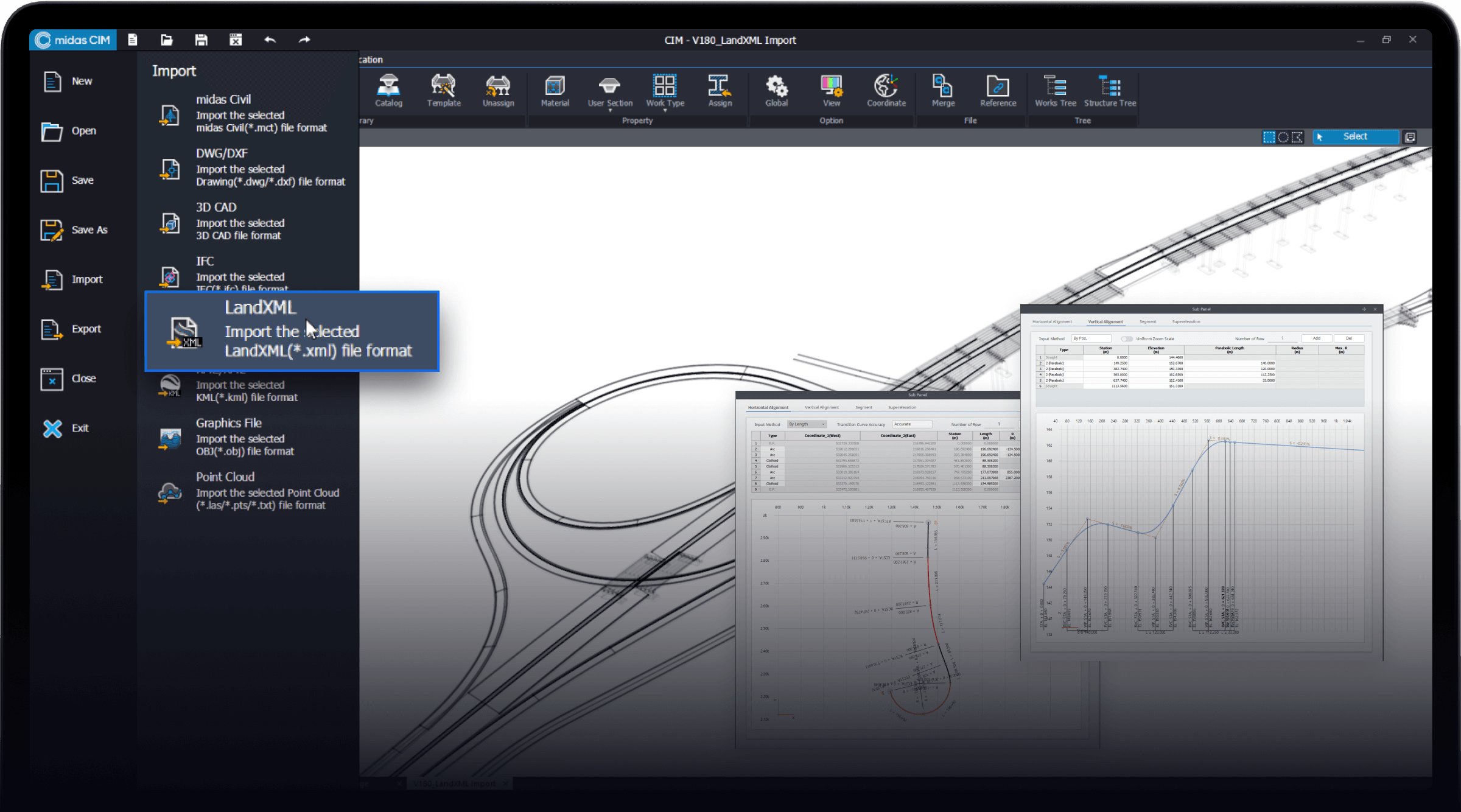
MIDAS CIMは、直接的な線形データの入力に加え、
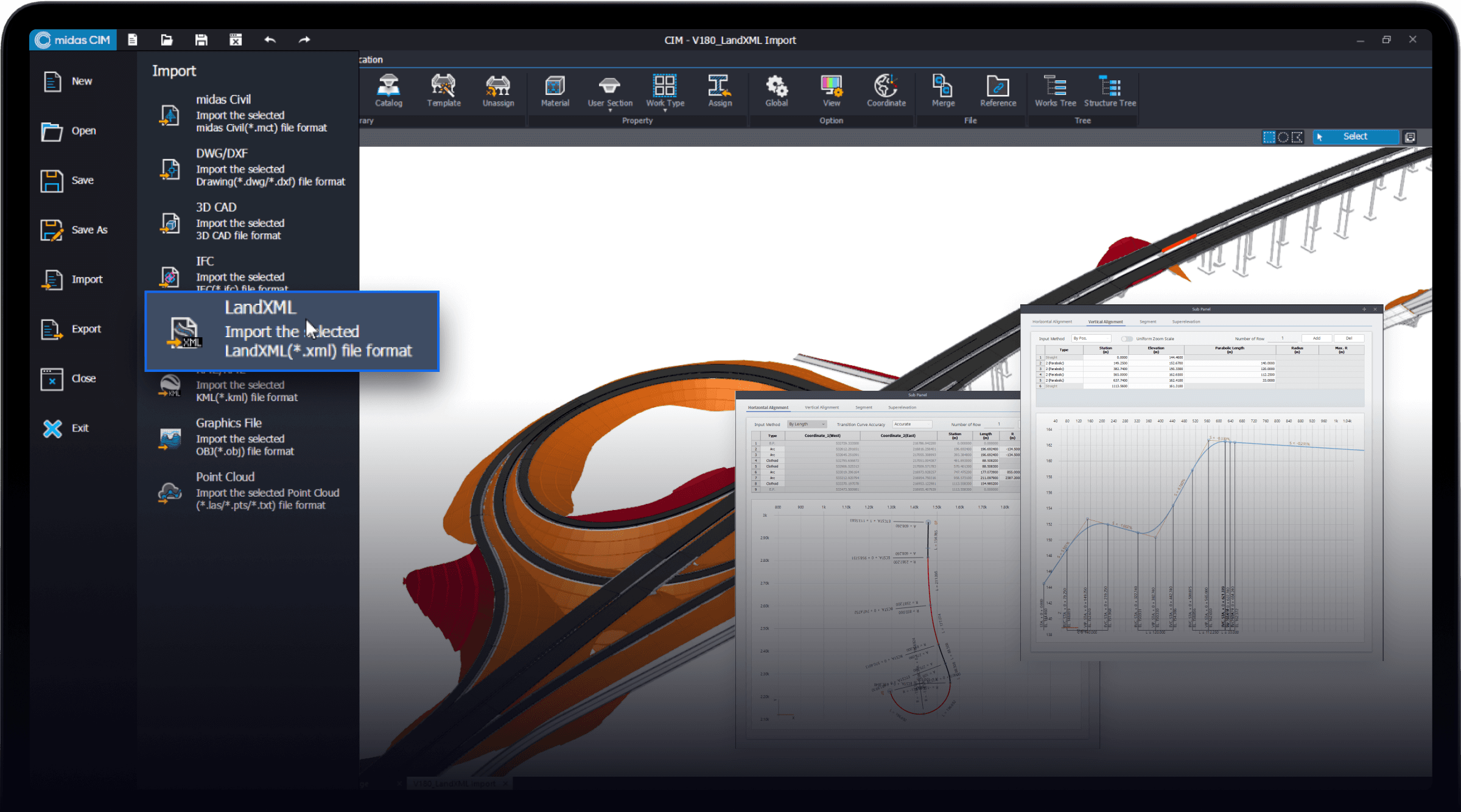
DWG、RP/RDデータ、LandXMLデータなど、国内外で使用されるさまざまなデータの線形をサポートし、
橋梁の設計業務をさらに正確かつ円滑にします。
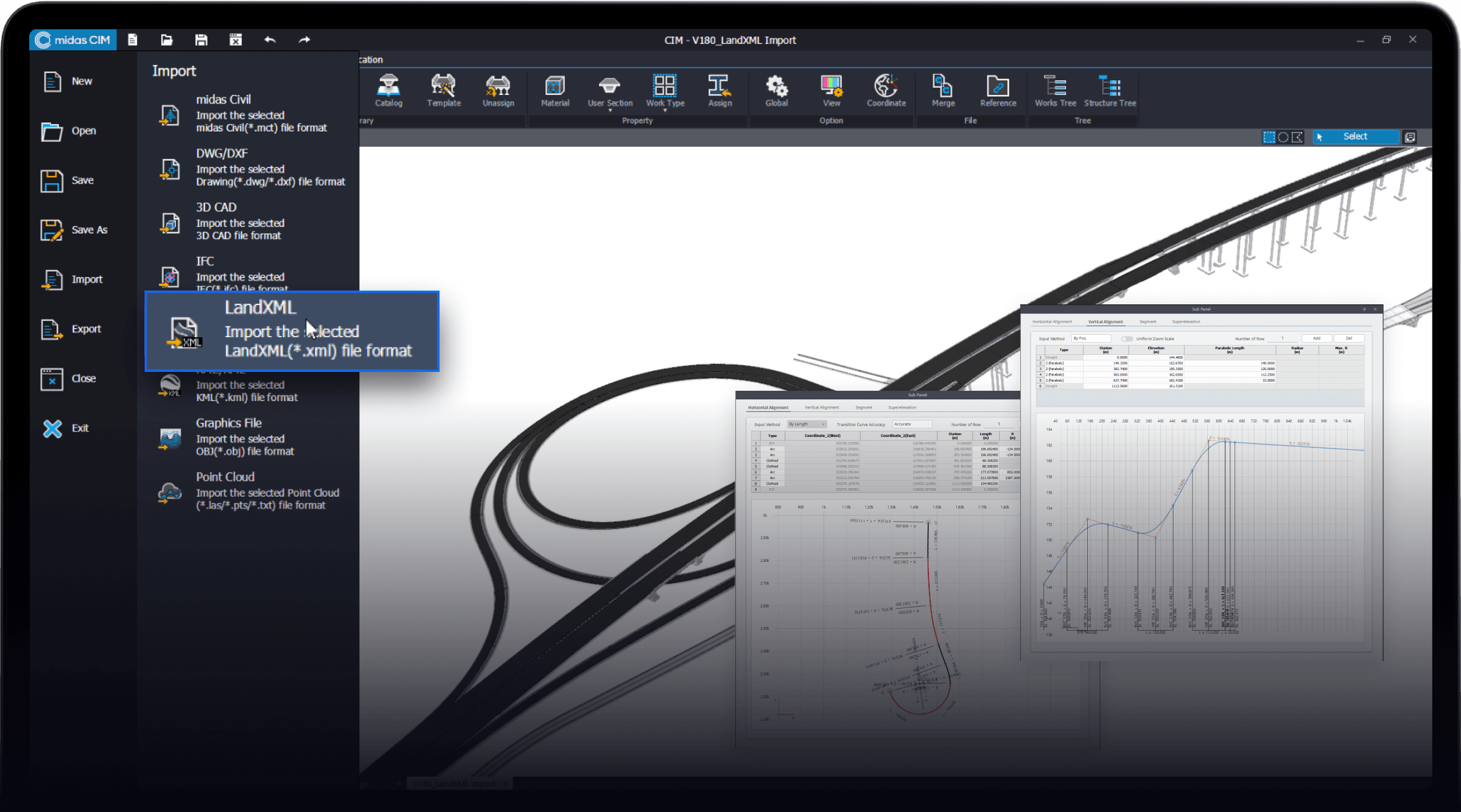
継続的に活用可能なモデリング 詳しく見る
Linear-based modeling

簡単で迅速な計画設計のための
スマートテンプレート

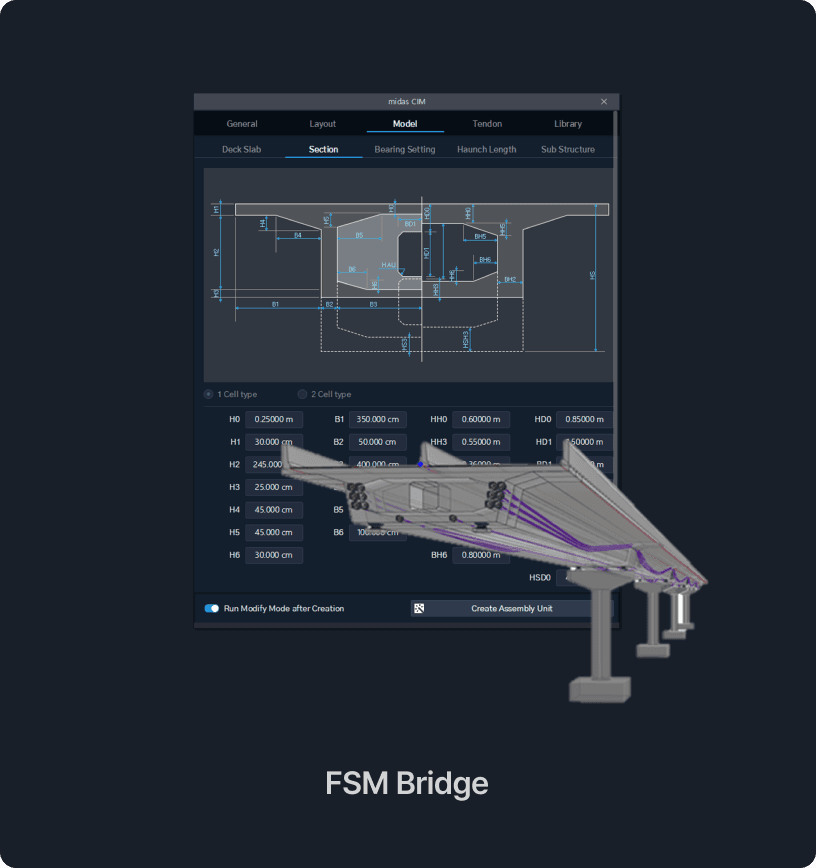
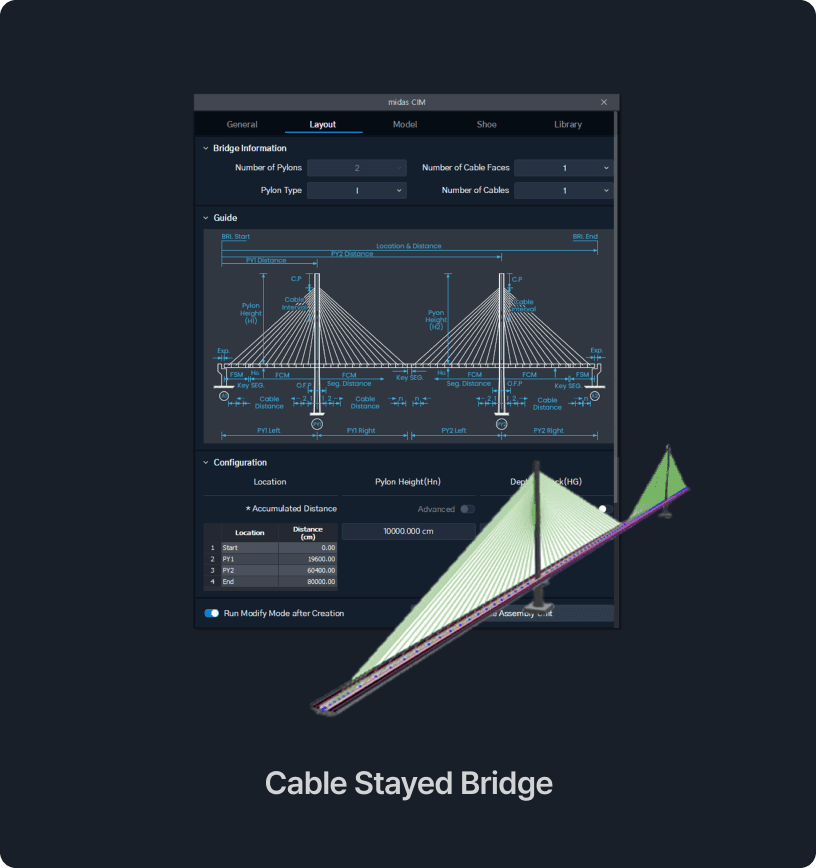
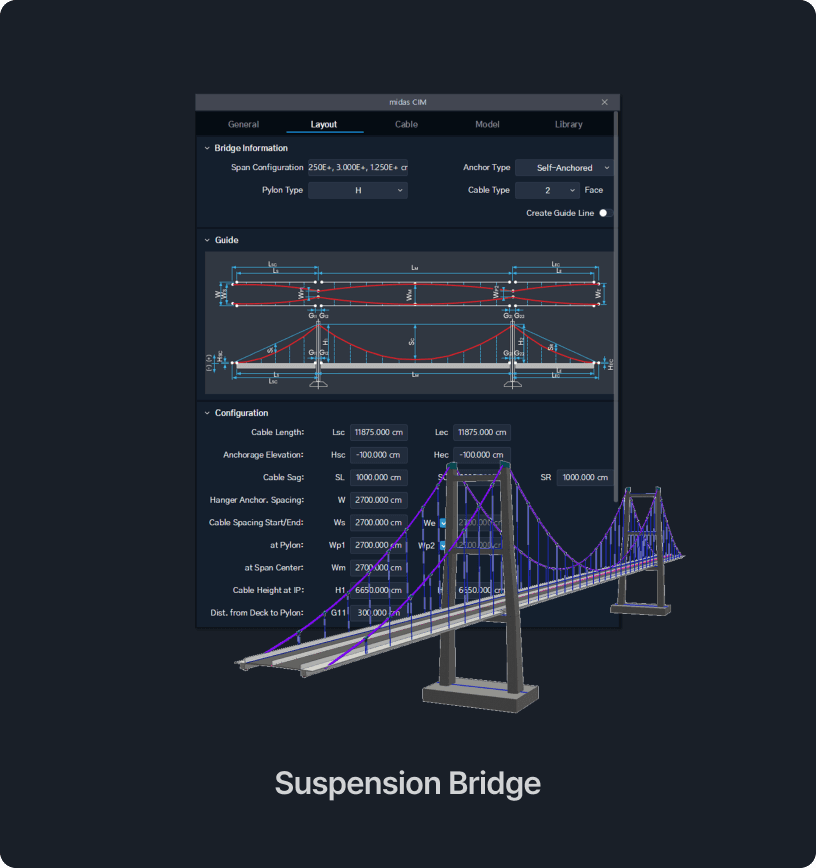
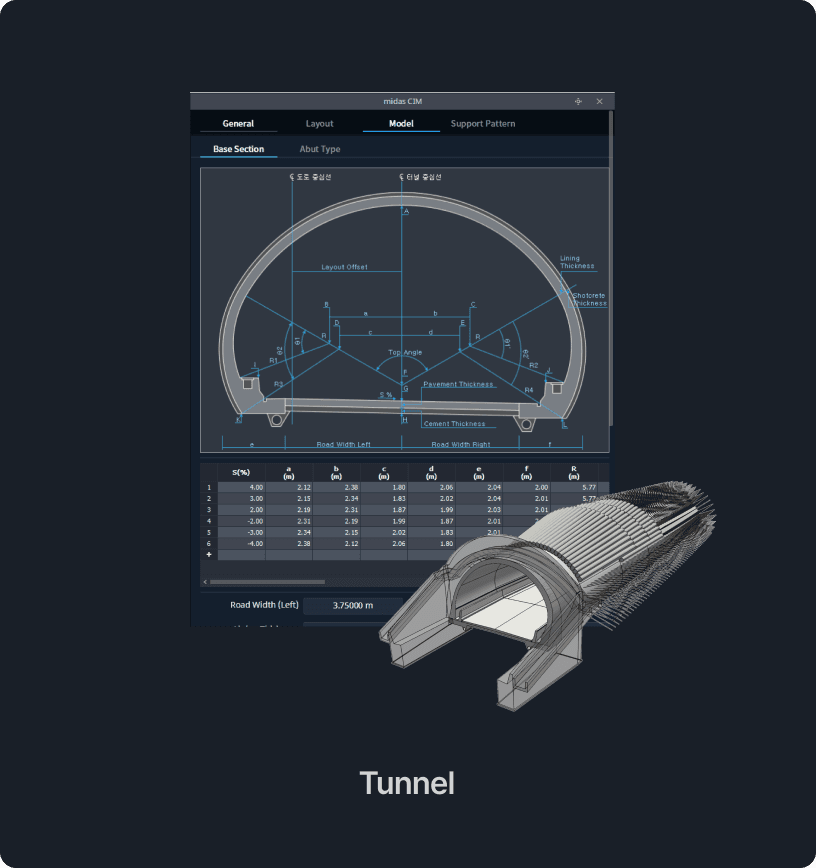
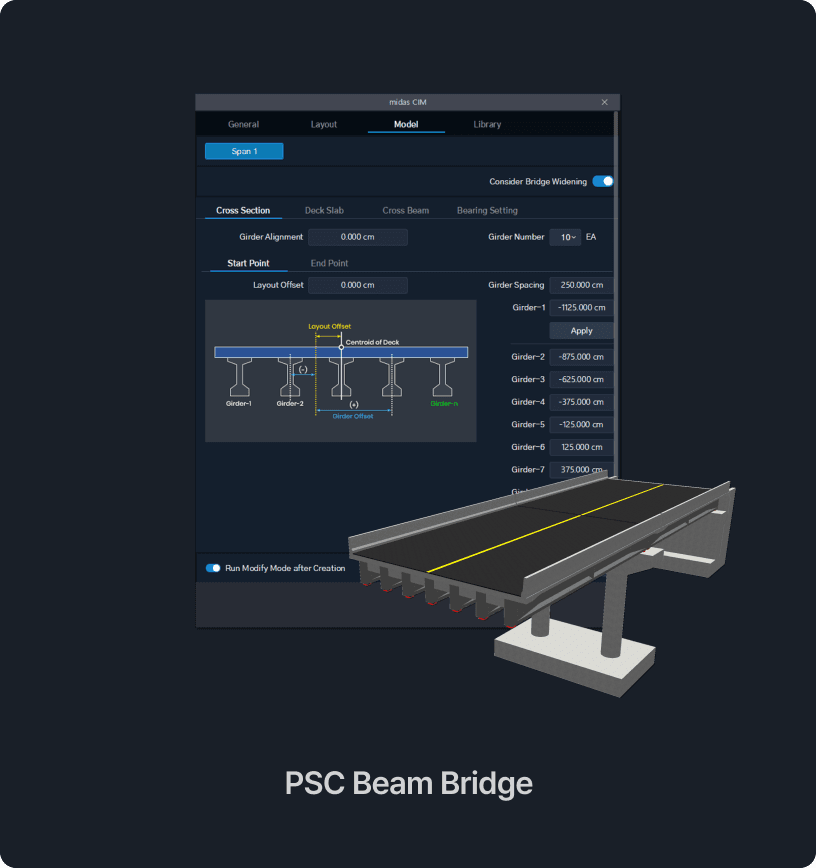
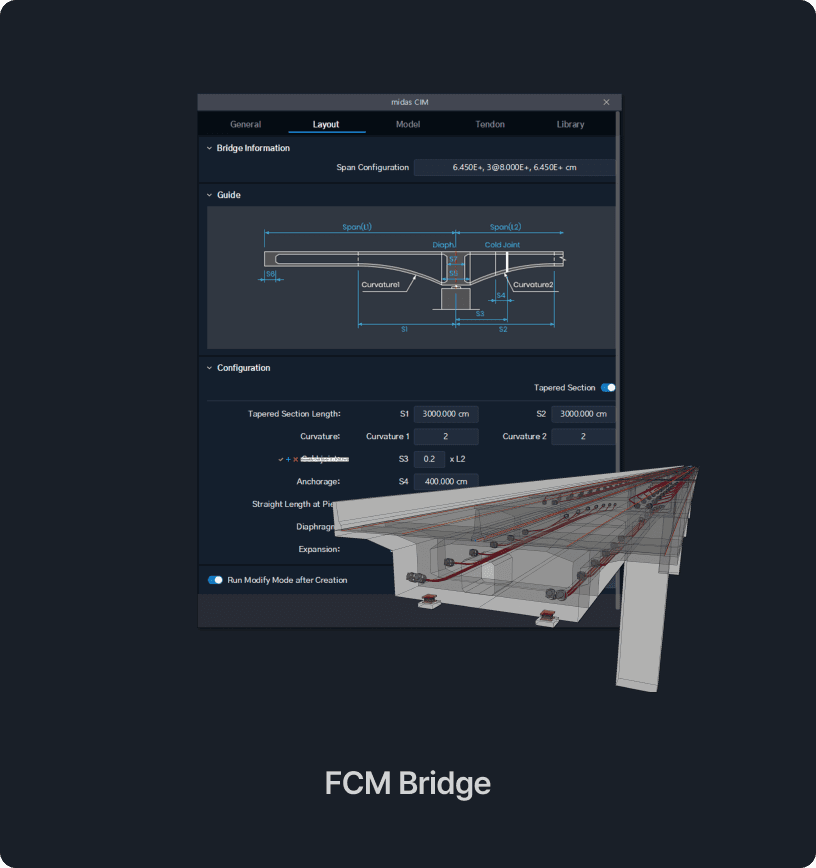
MIDAS CIMは、標準で提供されるライブラリやPC桁橋/張出架設橋/ケーブル橋、トンネルなど、
さまざまなテンプレート機能を通じて、簡単に3Dモデルを作成し、計画設計に反映させることができます。
smart template
smart template
smart template
smart template
smart template
smart template

便利で強力な
PC鋼材&鉄筋モデリング

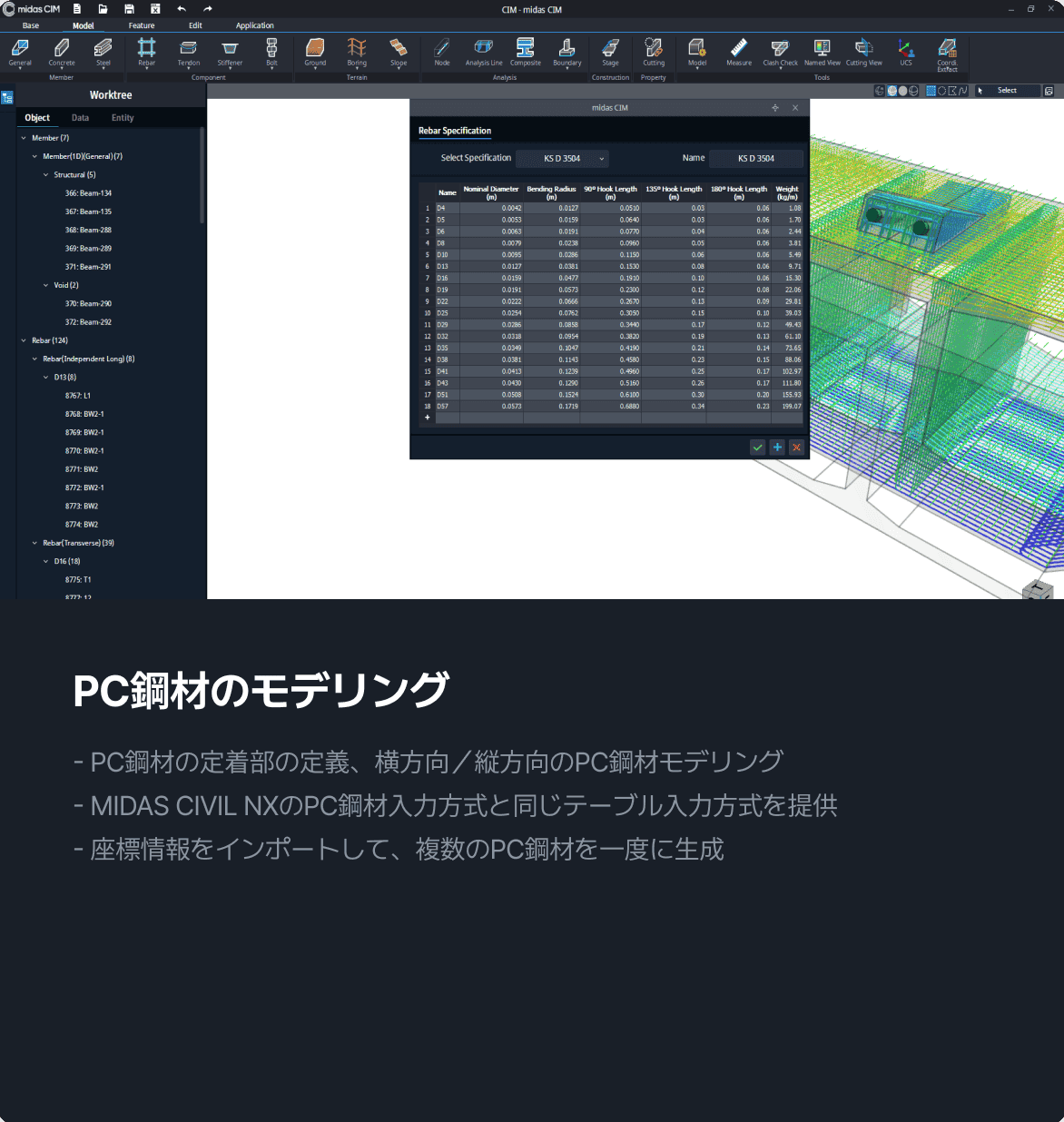
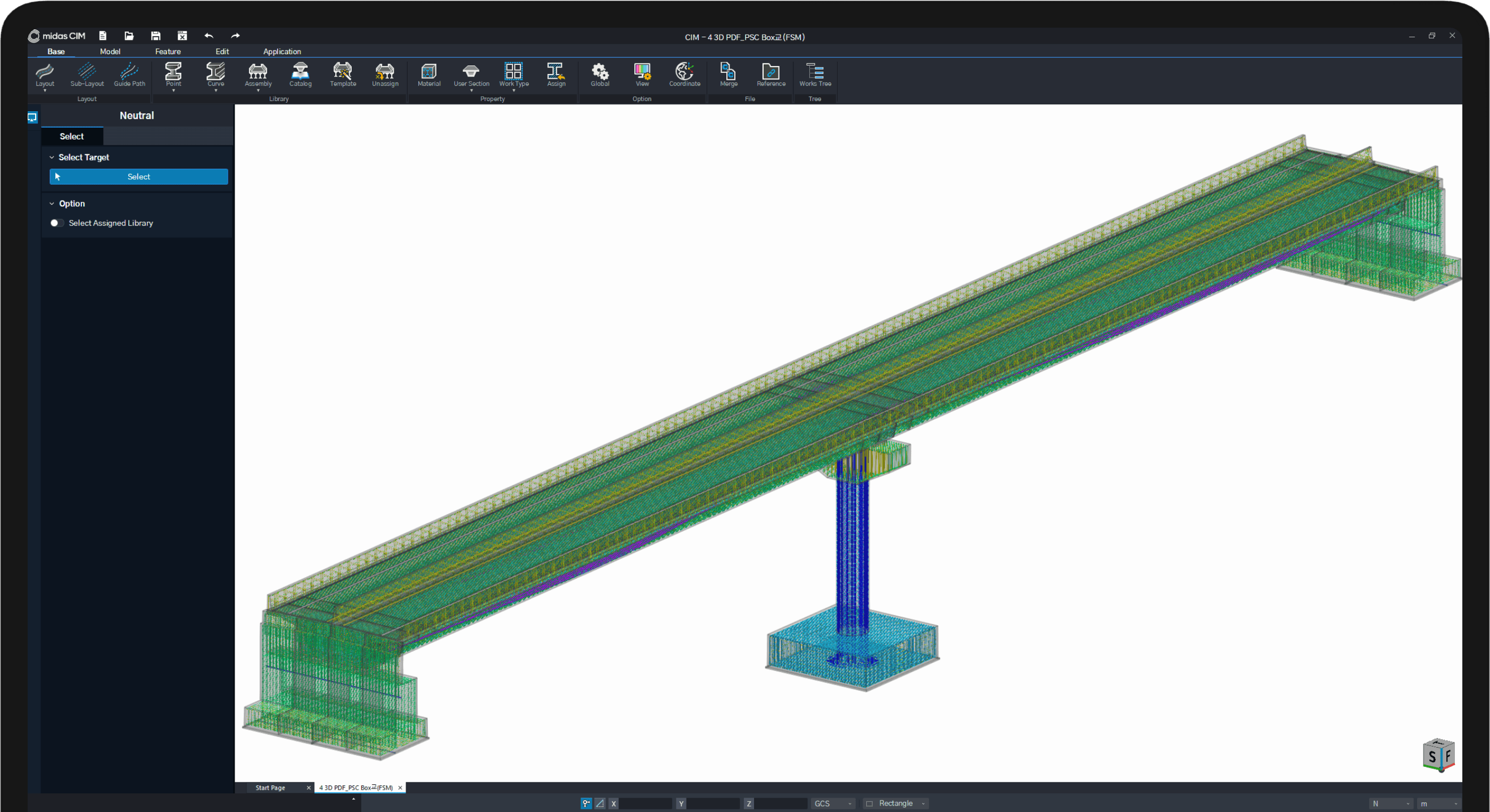
MIDAS CIMは、実際の形状と同じPC鋼材および鉄筋モデリングを可能にします。
鉄筋グループのうち、基準となる鉄筋のみがオブジェクト情報を持ち、その他の鉄筋の形状はグラフィックとして表示されるため、
全ての鉄筋が配置されたモデルでも速度などの性能が低下しません。
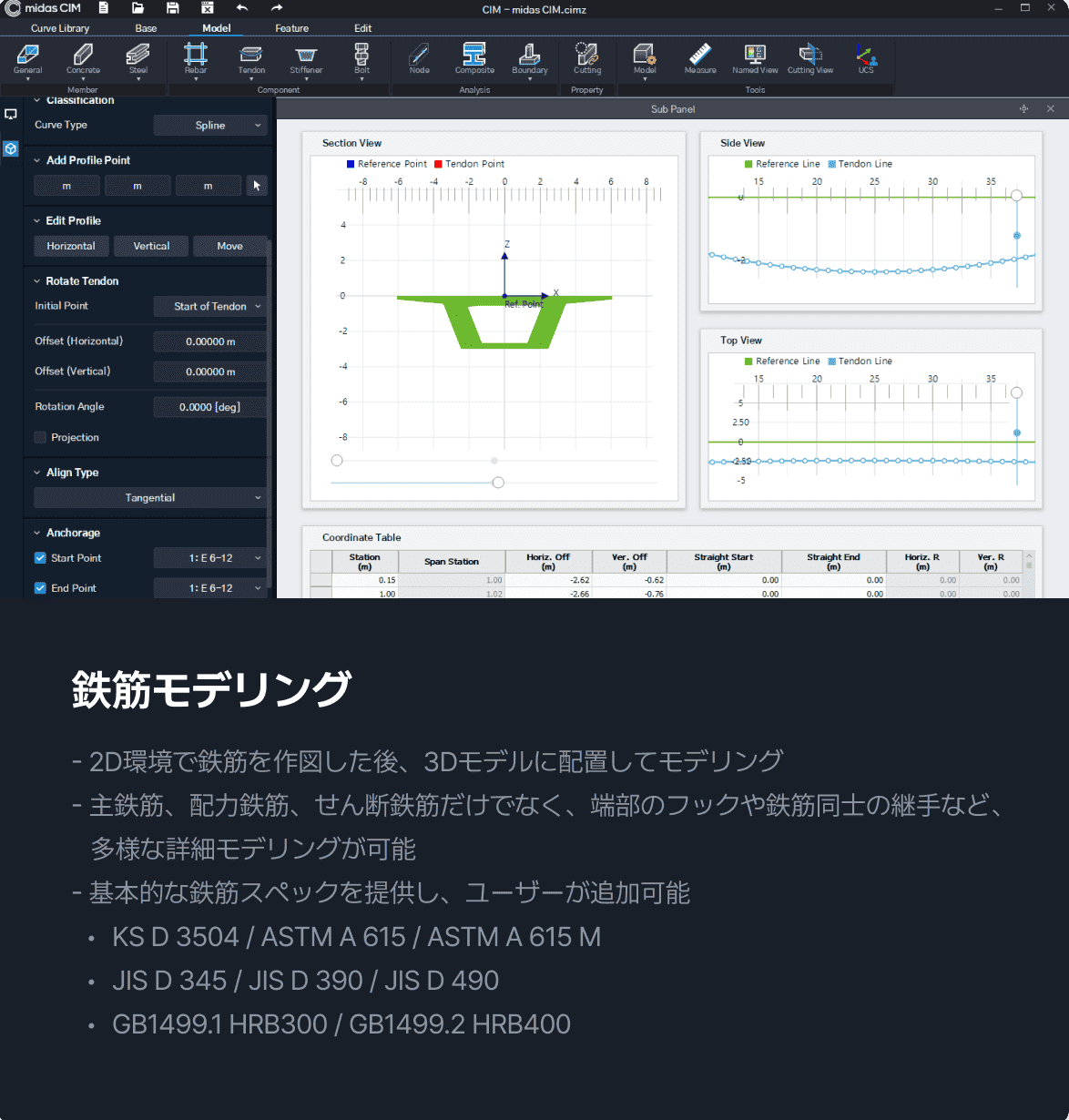
Tendon & Rebar Modeling
MIDAS製品内で行う
すべての設計プロセス

MIDAS CIMは、MIDAS CAD INFRA-DESIGNだけでなく、多くのプロジェクトで使用されている
MIDAS CIVIL NXと連携できる、世界で唯一の3D CADソフトウェアです。
MIDAS Family Program で提供されるMIDASソフトウェアとの連携だけでなく、
実務で使用されるさまざまなCAD製品とのデータ互換性も備えています。
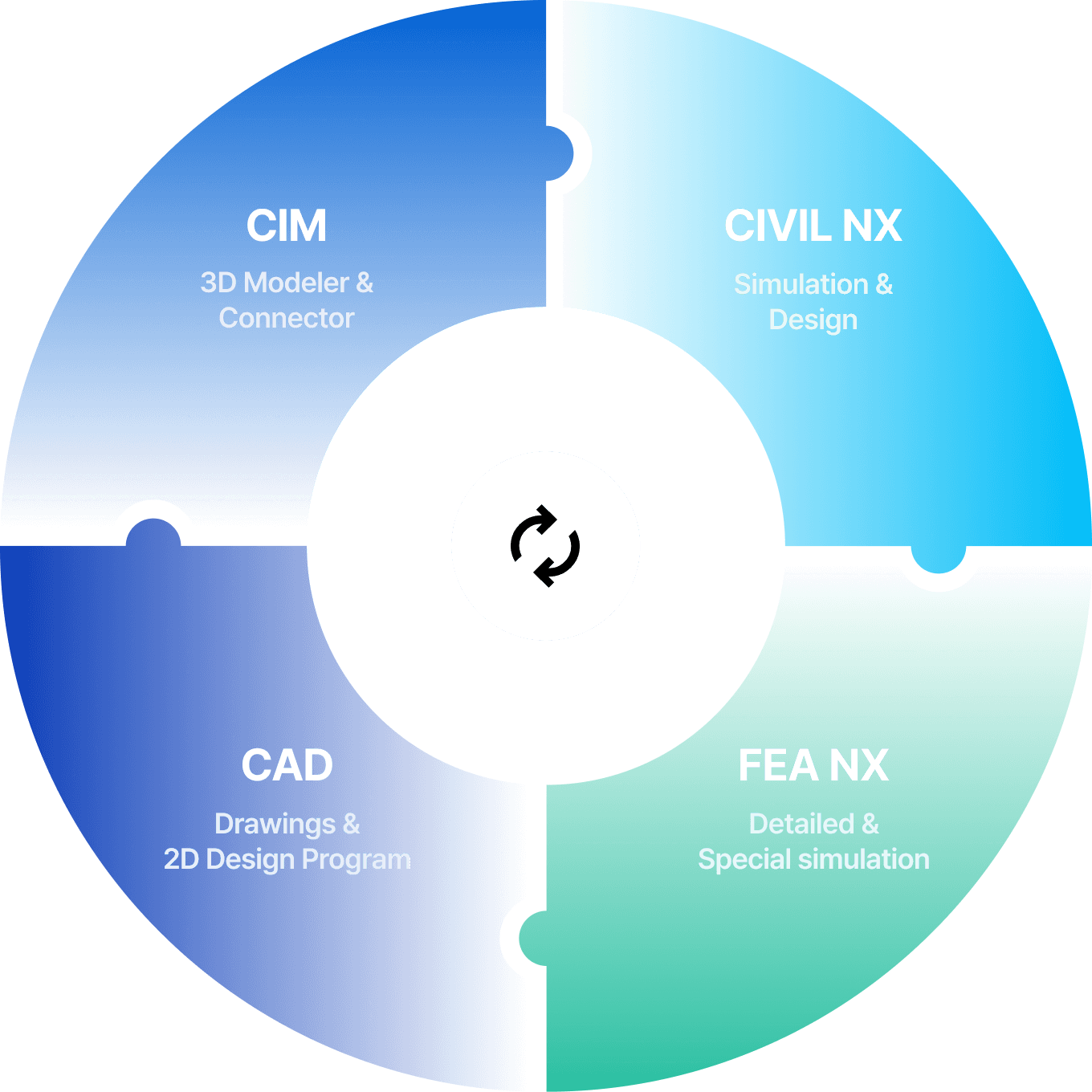
他のプログラムへの拡張性 詳しく見る

Together, We Write
the Story of Success

MIDAS is committed to continuous improvement and innovation
to meet the diverse needs of our clients.
Through our products and services, we aim to support the growth
and success of our clients, contributing to a better future.

あなたのビジネス革新を
CIMと共に。
FAQs

    Is MIDAS CIM a 3D CAD software?
    MIDAS CIM provides a linear-based 3D modeling environment allowing the import of linear information such as LandXML. It offers specialized features for structural design and modeling. It incorporates the latest graphic engine to build 3D models, including rebars. For detailed features of MIDAS CIM, you can check here.
    What are the recommended PC specifications for utilizing MIDAS CIM?
    Minimum requirements: Window 10 / Intel i5 / 8GB RAM / NVIDIA GTX 1050 4GB / Free space of at least 2GB
    Recommended requirements: Window 10 / Intel i7 / 16GB RAM / NVIDIA GTX 1080 6GB / Free space of at least 2GB.
    Are model files created in other 3D CAD programs compatible?
    MIDAS CIM supports various file formats for model compatibility. Import: DWG/DXF, 3D CAD, IFC, KML, OBJ, etc. Export: DWG/DXF, Parasolid (.x_t/.x_b), IFC, 3D PDF, IFC, KML, etc.
    Are there project applications of MIDAS CIM?
    MIDAS CIM has been employed in diverse structural projects both domestically and internationally. It has been used in India for the MUMBAI TRANS HARBOUR LINK, in China for the DongJiang Bridge and LiLi Bridge, in Korea for the Daewang-Pangyo IC, and various other applications which can be explored here.
    How can I learn to use MIDAS CIM?
    MIDAS CIM provides a starter guide, and various technical resources (tutorials, MIDAS Notes, expert columns, etc.) and operates an educational site for immediate practical application.
    Go to MIDAS Support
    Go to MIDAS Academy